

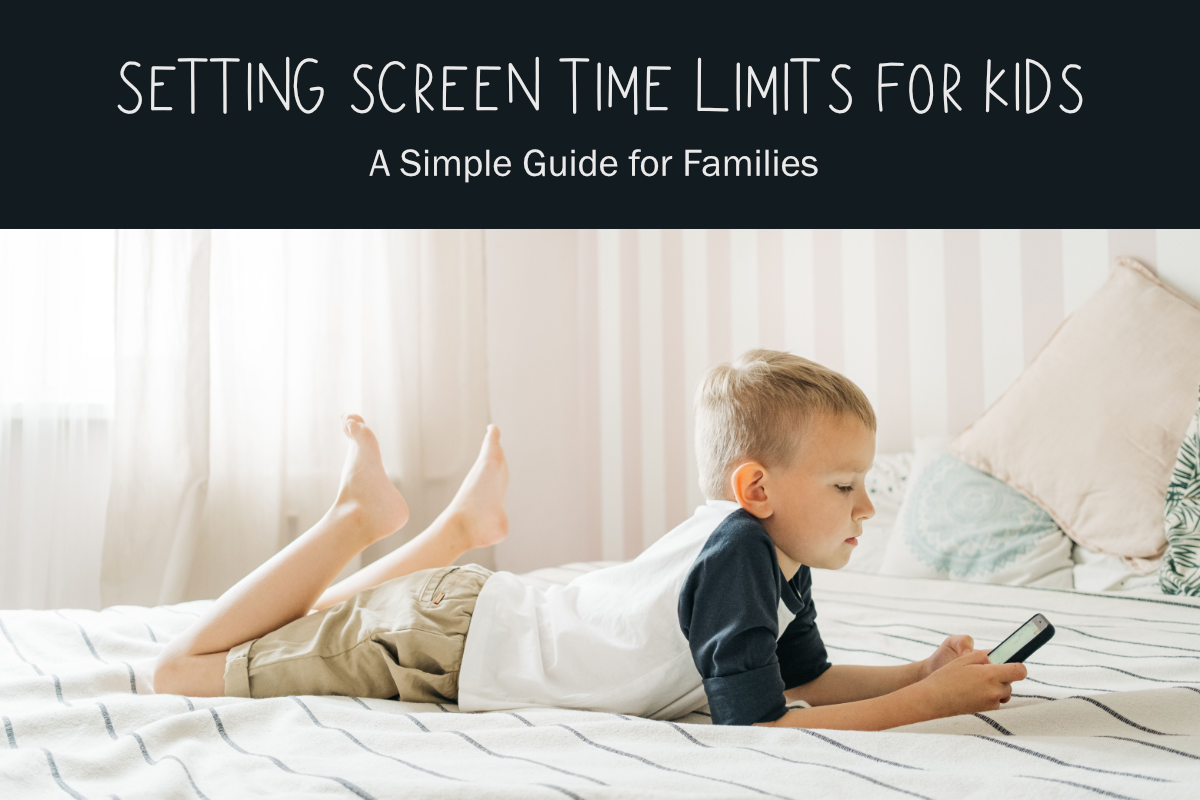
 When I originally wrote this post, setting technology limits for my kids was pretty straightforward. They wanted to watch TV, play computer games, or use the Nintendo DS. I wanted them to get dressed, brush their teeth, practice the piano, help around the house, and do something besides stare at a screen all day.
Things are a little more complicated now.
Kids are using school-issued Chromebooks or tablets as early as kindergarten. Older kids need computers for homework, phones for communicating with parents, and apps for school, sports, and other activities. They may also be using technology to design, create, learn, edit videos, make music, or even create something on a 3D printer.
It doesn't really make sense anymore to lump every minute spent on a screen into the same category. But that doesn't mean kids need unlimited access to phones, computers, tablets, games, or social media all day and all night. I still think setting technology limits is important. We just need to think about those limits a little differently.
Why Set Technology Limits for Kids?
My reasons for limiting technology when my kids were little haven't really changed.
I wanted my kids to experience life, not just stare at screens all day. There were so many other things they could do with their time. They could play, read, create something, practice a skill, help around the house, spend time outside, or interact with actual people.
I wanted them to learn how to entertain themselves without always reaching for a device. I wanted them to be active and healthy. And I wanted them to learn that technology is a great tool and a fun form of entertainment, but it shouldn't crowd out everything else.
That's still what I would want today. The difference is that I wouldn't focus only on counting minutes anymore.
Not All Screen Time Is the Same
This is probably the biggest thing I would change if I were setting technology rules for young kids today. When my kids were little, we mostly needed to limit television and computer games. Now, I would divide technology use into a few different categories.
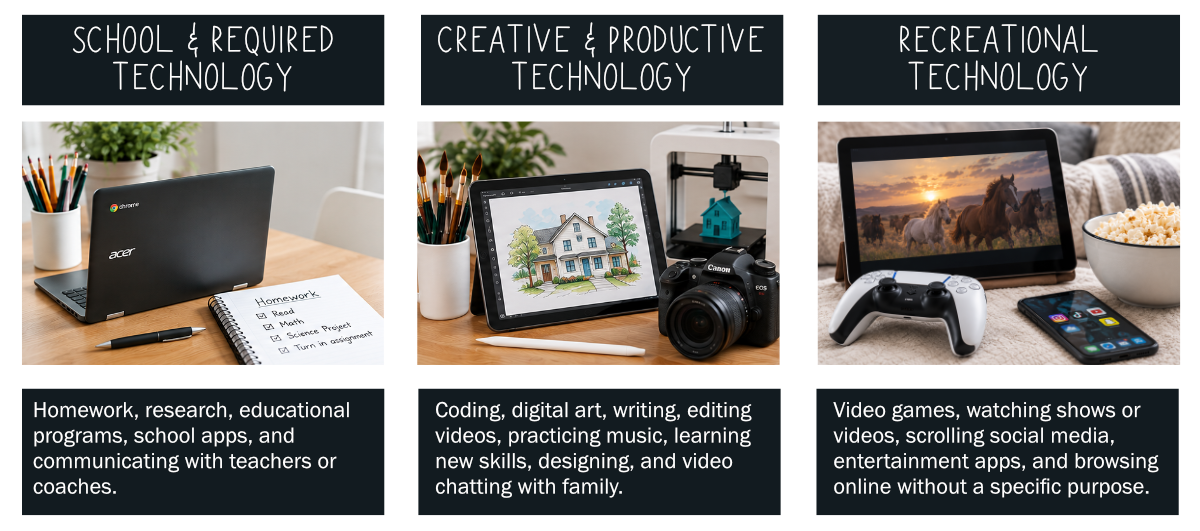
School and required technology
Homework on a Chromebook is obviously different from playing a video game. I wouldn't count required schoolwork as recreational screen time.
School-related technology might include homework, research, educational programs assigned by a teacher, checking a school calendar or classroom app, or communicating with a teacher or coach.
Creative and productive technology
This category has grown tremendously since my kids were little.
A child might use a computer or tablet for coding, digital art, writing, editing a video, practicing music, learning a new skill, designing something for a 3D printer, or video chatting with Grandma.
Yes, they're looking at a screen, but they're also making, learning, communicating, and solving problems. That doesn't necessarily mean creative technology should be unlimited. I just wouldn't automatically put it in the same category as recreational screen time.
Recreational technology
This is the category I would concentrate on when setting time limits. Think video games, entertainment apps, watching shows and online videos, scrolling social media, or browsing online just because there's nothing else to do.
Of course, the lines won't always be perfect. A game can be creative. A video can be educational. And I'm sure kids haven't lost the ability to claim they're doing homework while quietly switching to something completely different!
That's why I think the bigger goal is to create clear expectations for how technology fits into family life.
Decide What You Actually Want to Limit
Before you tell the kids they need less "screen time," figure out exactly what you mean.
Does screen time include TV?
What about video games?
YouTube?
Social media?
What about a movie you're watching together as a family?
Does a creative project on the computer count the same as an hour of gaming?
And what about technology use at a friend's house?
There isn't one correct answer. Decide what makes sense for your family and your children. If recreational screen time is the main problem, that's what I would focus on rather than trying to keep track of every minute a child spends looking at any type of screen.
RELATED: Summer Learning for Kids {How to Avoid the Summer Slide}; Summer Math Fact Practice for Kids
A Device Does Not Mean Unlimited Access
This is something I think is especially important now that kids are getting access to devices at younger ages. Giving a child a phone, tablet, Chromebook, or computer doesn't have to mean giving them unlimited access to it.
Parents can still decide when and where devices are used. Maybe phones don't belong at the dinner table. Maybe gaming happens after homework and responsibilities are finished. Maybe younger children use internet-connected devices only in shared family spaces. Maybe kids need permission before downloading an app or creating a new account. Maybe all of the devices charge in one central location at night instead of going into bedrooms.
And it's okay to say no to an app or social media account, even when it seems like everyone else's child has one. The minimum age for an app isn't the same thing as saying your child is ready for it. You know your child. You can decide which apps are appropriate, when they're appropriate, and what kind of supervision goes along with them.
Create a Family Technology Plan
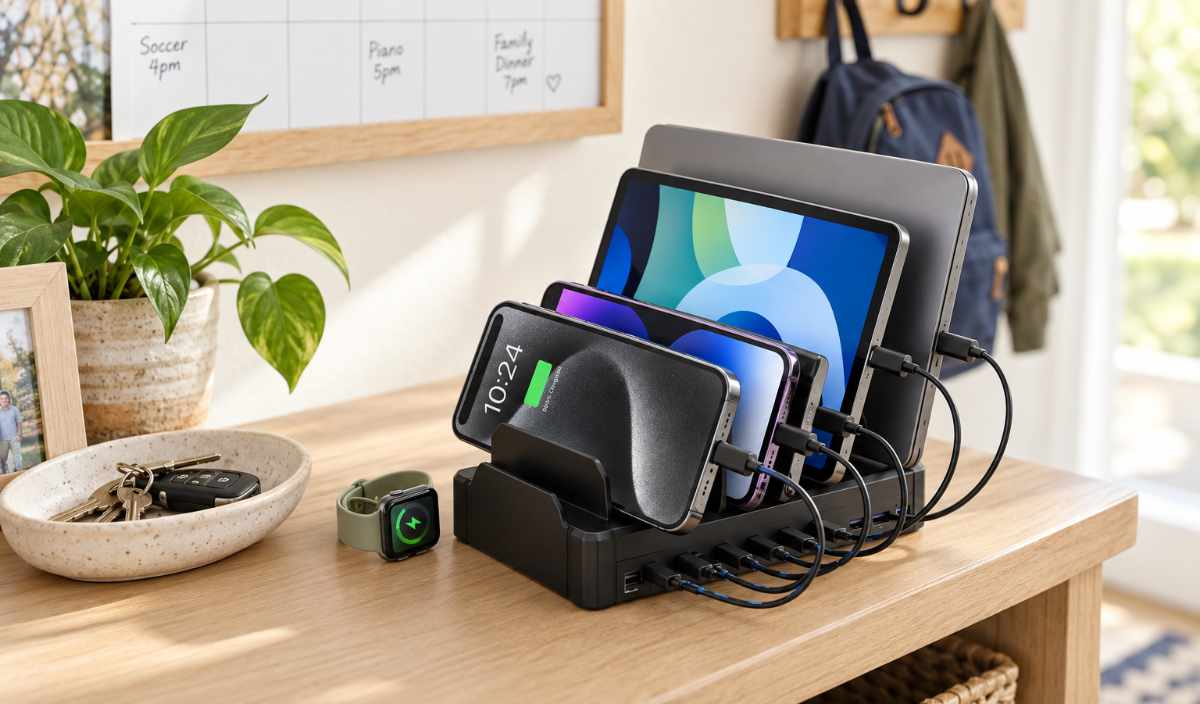
Lifestyle image created with AI using family charging station product photos as a reference.
Instead of constantly making decisions in the moment, sit down and decide what technology rules you want for your family. You don't need anything fancy. Just talk through the things that tend to cause problems.
What counts as recreational screen time?
When can devices be used?
Do homework, chores, reading, music practice, or other responsibilities need to happen first?
Are there times when everyone puts devices away?
Where can devices be used?
Where do phones, tablets, and school devices charge at night?
Do kids need permission before downloading apps or opening accounts?
Which parental controls or privacy settings will you use?
What happens if someone sneaks a device, creates an account without permission, or refuses to turn something off?
It's much easier to enforce a rule everyone already knows than to invent a new rule in the middle of an argument. And the plan doesn't have to stay the same forever. In fact, it shouldn't. Rules that make sense for a seven-year-old probably won't be the same rules you use for a twelve-year-old or a sixteen-year-old. Technology changes. Kids change. Schedules change. Adjust the plan as your family needs it.
Responsibilities Still Come Before Recreational Screen Time
This was a big part of our original system, and I would absolutely keep it. When my children were younger, they had some basic responsibilities to finish before recreational technology time. heir list included things like getting dressed, eating breakfast, brushing their teeth and hair, emptying the dishwasher, practicing the piano, straightening their bedrooms, and helping with a cleaning job.
Your list will probably look completely different.
The point isn't that kids need to complete my list before they can play a game. The point is that recreational technology doesn't automatically come before everything else that needs to happen during the day. Homework, responsibilities, movement, hobbies, family time, and taking care of yourself matter, too.
If you have younger kids who need a visual way to keep track of recreational screen time, I created a Screen Time Token System that worked really well for us. Each child had tokens they could redeem for technology time after their responsibilities were finished.
You'll find the system and a free printable to go with it here.
Don't Forget About Your Own Screen Time
Ouch.
I included this in the original post because, while I was writing about how much time my kids were spending on screens, I realized I was sitting at the computer working on my blog. And now, years later, I still spend more time on my phone than I should.
Kids notice.
It's hard to tell them to put their phones away during dinner while we're checking ours under the table. It's hard to tell them that family time is screen-free if we're answering messages the whole time.
Obviously, the rules won't always be the same for adults and children. Sometimes we're using our phones for work, directions, appointments, bills, or a dozen other things our kids aren't responsible for. But we can still model putting devices away. We can have conversations without looking at a phone. We can put devices away during meals. We can show our kids that sometimes it's good to be bored, go outside, make something, talk to someone, or just be present without a screen in front of us.
Talk About the Why
When you introduce new technology limits, don't just announce the rules. Talk about why you're setting them. You're not trying to make technology the enemy. Technology can be incredibly useful. It can help kids learn, create, communicate, and do things that weren't even possible when my kids were little. The goal is balance.
We want our kids to learn how to use technology without letting it take over their time. We want to protect sleep, family time, responsibilities, movement, hobbies, and face-to-face relationships. We also want them to learn how to manage technology without us standing over their shoulders.
That's really the goal, isn't it? Set boundaries while they're young, talk about why those boundaries exist, and adjust them as your kids grow.
And if your plan stops working? Change it. Technology certainly isn't going to stop changing. Our family rules don't have to stay frozen in time either.
Thanks for stopping by today. I'll see you tomorrow with my Technology Token System. I love to share ideas about parenting. You might like these, too. (Images below are linked.)



See you again soon!












Megan
Great tips! This isn't as much of a concern for me during the summer since we play outside all day(it isn't as warm here in PA ) but is always a concern of mine in the winter. I will be bookmarking this tips for sure!
Heidi Fowler
Thanks, Megan. It works exactly the opposite in my neck of the woods. The kids are inside most of the summer, but play outside the rest of the year. Have a great summer!
Pam @ Over the Big Moon
This is so great! Can't wait to check out the Token system! My boys TOTALLY need this!
Heidi Fowler
Thanks, Pam. So, what happens when your boys and my girls tell us we need to limit our time on the computer, too? Hee, hee! I have to teach the difference between work and play, but sometimes it's hard to tell which is which!
krystalskitsch
I worry about this already and my son is only two! He just loves playing on the tablet.
Heidi Fowler
I know what you mean, Krystal! The fact that you are thinking about it now probably means you'll do a great job when he's old enough!
Jennifer @Making Our Life Matter
I actually sent this via email to both my boys. They didn't want to hear it, but I think it really hit home for them.
Heidi Fowler
That's funny that you sent a post about technology via email! Probably the perfect way to contact a teen! They might not need a cutesy chart, but teens definitely need the limits!
Sarah Mueller
This topic has been on my mind a lot lately. When I allow my kids access to screens, it really seems like it's terribly addicting for them (I see this so often in adults around me, too). They certainly cannot police themselves. It does start out innocently, doesn't it? We have set our limit at about a hour a day for screentime.
Nicole of Planning with Kids recently published a couple good posts on this topic. Here's the link: planningwithkids.com/2014/07/10/managing-technology-with-teenagers-what-other-families-do/
Heidi Fowler
Thanks, Sarah. I agree that it starts out innocently, and it's definitely something that needs to be monitored! (I need to monitor myself!)
Lisa Damian
We just presented contracts to our kids this morning, outlining the expectations for technology use and limits. We covered a lot of the same topics you mention in your post. I like your approach!